One idea per video
A short video script works best when it carries one idea, because a short video has room to say one thing clearly. Before you write anything else, finish this sentence: “This video tells you ___.” If you need the word “and” to finish it, you have two videos. Write them as two scripts.
That one sentence does two jobs. It keeps every later line on topic, because any line that does not support it can go. And it usually becomes the first line of the script, with a few words changed so it sounds like you.
The first line
The first line of a short video script should say what the viewer will get: the idea, the answer, or the question the video answers. It is the one line that every viewer hears, so it has to carry the point on its own. Greetings, your name and “in this video I’m going to” can come later or not at all.
Here are a few patterns for an opening line that states the idea plainly. Fill in the brackets with your own topic:
- “Here is how to [get a result] without [the usual problem].”
- “If you [are in a situation], [the one thing to know].”
- “The one thing to check before you [do a task] is [the thing].”
- “[A question your viewers ask]? Here is the short answer.”
Read your first line out loud. If it would make sense to someone who sees nothing else of the video, it is doing its job.
A simple structure
A short video script needs only three parts. The table shows what each part does and how much room to give it.
| Part | What it does | How long to make it |
|---|---|---|
| Opening line | States the idea, the answer or the question | One sentence |
| Points | Gives two or three reasons, steps or examples that support the idea | One or two short sentences each |
| Close | Says what to do next, or repeats the idea in other words | One sentence |
If a point needs more than two sentences, it may be its own video. If the close repeats the opening word for word, change the wording so it sounds like an ending rather than a restart.
Writing for the ear
A script for a video is written to be heard once, at your speaking speed, so it follows different rules from text that people read.
- Short sentences. One thought per sentence. A long sentence on a prompter is hard to say without running out of breath.
- Your own words. If you would not say a sentence to a friend across a table, rewrite it until you would.
- Nothing you have to decode. Write “for example” instead of “e.g.”, and spell out anything with a slash or brackets. Write a hard number the way you will say it.
- Breaks where you breathe. Start a new paragraph where you would pause or change thought, and leave a blank line between paragraphs.
- Names spelled the way you want them shown. If you add captions later, a correct spelling in the script helps the captions come out right.
Then read the whole script out loud. Any place where you stumble, slow down or change a word without meaning to is a place to rewrite.
Checking length by reading aloud
The length of a short video script is best checked with your own voice, because people speak at different speeds and no word count fits everyone. Read the script out loud at the pace you will record, and time it.
- If it runs longer than you want, cut whole sentences, starting with the weakest point.
- If it runs shorter, leave it. A short video that ends when the idea is said is better than one padded to a target.
- Do not plan to talk faster on the take. Fast reading is harder to follow and easier to stumble over.
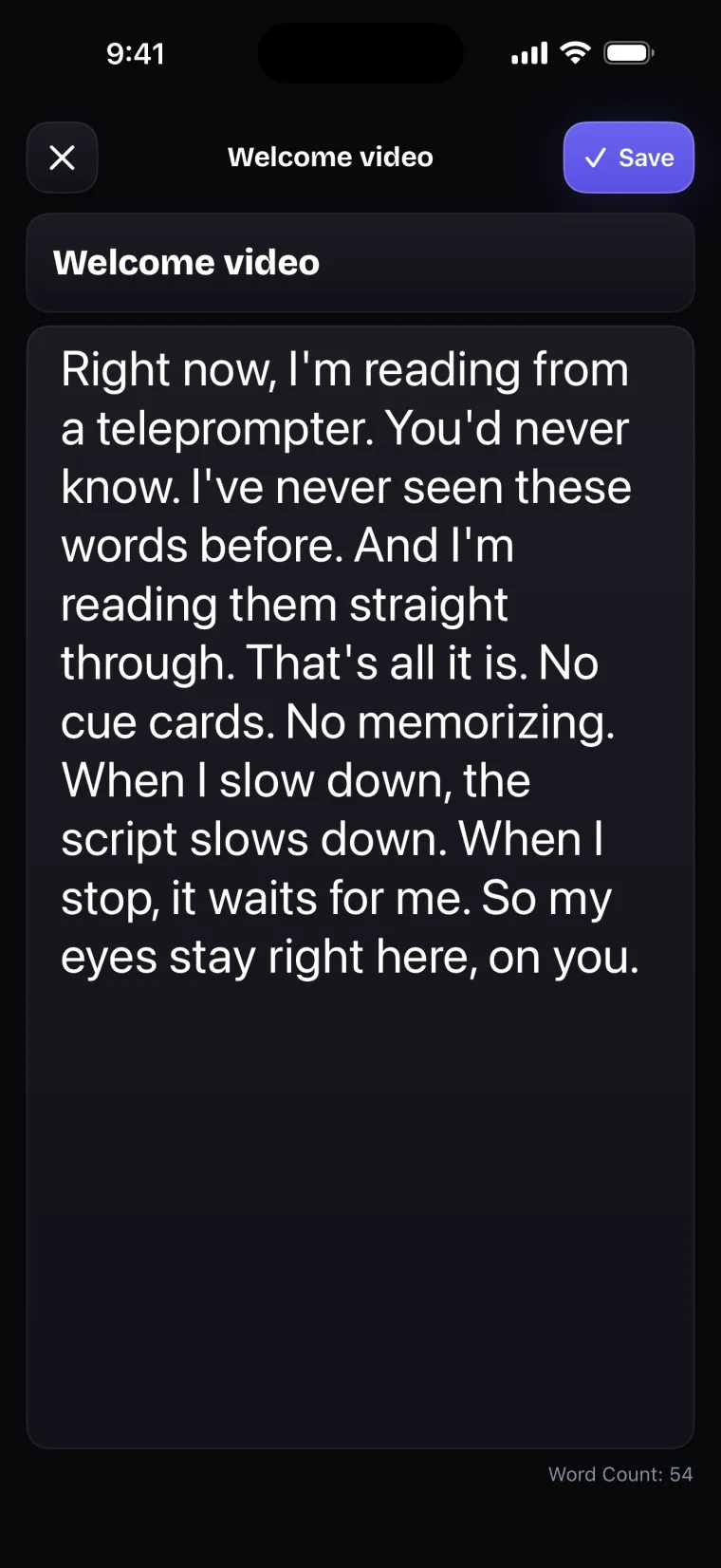
The script editor in Teleprompter: Video & Captions shows a word count at the foot of the screen as you type. Once you have timed one script of your own, the count tells you roughly how many words fit into the length you want, at your speed.
A template with blanks
This template puts the three parts in order. Copy it, fill in the brackets, then read it aloud and cut whatever you do not need.
- Opening line: “If you [are in a situation], [the one thing to know].”
- Point one: [The first reason, step or example, in one sentence.]
- Point two: [The second one, in one sentence.]
- Point three, if you need it: [The third one.]
- Close: [What to do next, or the idea again in one line.]
Once the template is filled in, check it against the opening sentence you wrote at the start, “This video tells you ___”. Every line should serve that sentence.
From script to take in Teleprompter: Video & Captions
Teleprompter: Video & Captions is built for reading the finished script on camera. New Project asks for a title and opens the script editor, where you type or paste the script. You can also import a PDF or a plain-text file, and it becomes a new project named after the file.
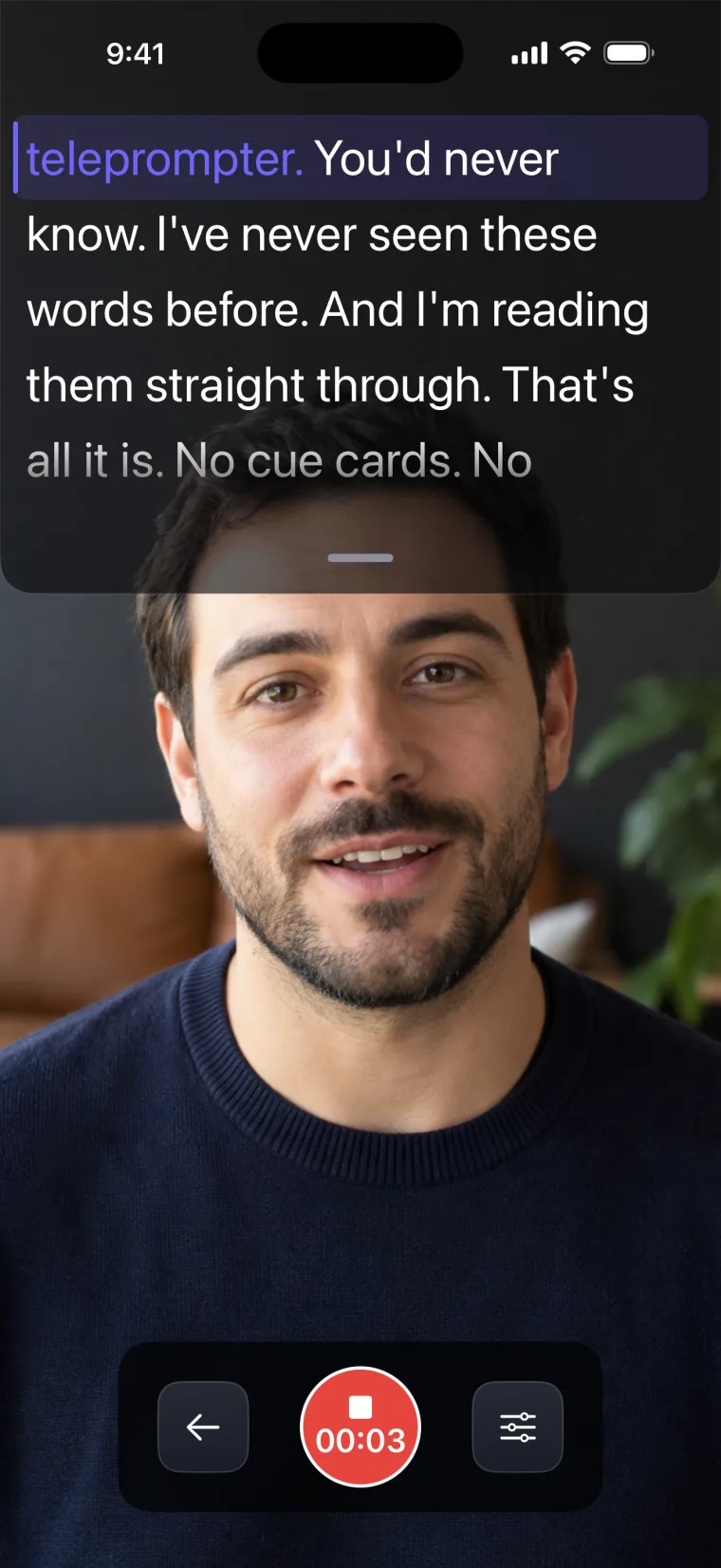
When you record, the script sits in a window over the front-camera picture, hanging from the top edge of the screen, close to the lens. Drag the grip at the foot of the window to make it taller or shorter. The script scrolls at a speed you set (Auto) or follows your voice (Voice). After the take, captions are transcribed from what you said, and where a heard word is the same word as in your script, the caption uses the script’s spelling, capitals and punctuation.
Where this stops working well
The app has limits that affect how you write and bring in a script. It records with the front camera only, adds captions only to videos recorded in the app, and saves finished videos to Photos; it does not post to social networks or export subtitle files.
- Import takes PDF and plain-text files only. Word, Pages and RTF files are not accepted; paste their text instead.
- A scanned PDF with no text layer imports as an empty script, because the app does not recognise text in images.
- The prompter uses the system font. You can change the text size and weight, but not the typeface.
- On the recording screen, the script is always white on a see-through dark window. The text and background colour settings apply to the full-screen prompter only.
For what comes next, the guides cover whether to memorize it once the script is written, longer scripts for YouTube, scripts from a brand brief, and a short intro script for a real estate agent.
Questions people ask
How long should a short video script be?
Long enough to say one idea clearly, and no longer. There is no word count that fits everyone, because people speak at different speeds. Read the script aloud at recording pace with a timer; if it runs longer than you want, cut whole sentences instead of planning to talk faster.
What should the first line of a short video say?
It should say what the viewer will get: the idea, the answer, or the question the video answers. Leave greetings and introductions for later. A good test is whether the first line makes sense to someone who hears nothing else of the video.
Should I write every word or just bullet points?
If you will read from a teleprompter, write every word, because the prompter shows exactly what you wrote. Bullet points suit people who are comfortable talking around notes. Voice mode in Teleprompter: Video & Captions moves only when your words match the script, so with bullet points it would mostly hold still while you talk; use Auto for notes, or write the sentences out.
Can I write the script inside Teleprompter: Video & Captions?
Yes. New Project asks for a title and opens the script editor, which shows a word count as you type, and you can paste text in from another app. You can also import a PDF or a plain-text file. Creating your own projects and importing files need a subscription.